| |
NTService Auto Time Synchronization II |
|
| |
| This tool is for synchronization of TCMS V2 and terminal’s clocking times. |
| Adding in NT Service into your TCMS V2 software ensures constant sync of the time between the software the connected readers. |
| |
|
| |
| Step 2 |
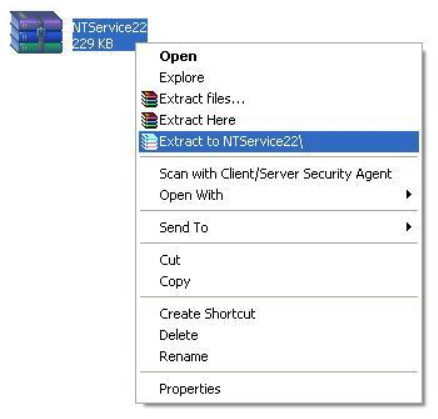
| Extract the NTService Auto Time Synchronization II and do the followings: |
 |
|
| |
| Step 3 |
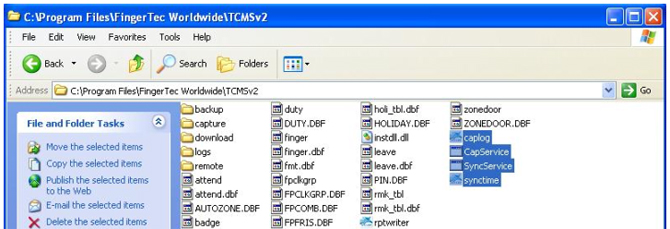
| Copy all the files named caplog, CapService, SyncService, synctime from the NTService Auto Time Synchronization II folder & paste them into TCMS v2 directory folder. |
 |
|
| |
| Step 4 |
| Double click on TCMS V2 software, go to Devices icon and choose Set Terminal Time. |
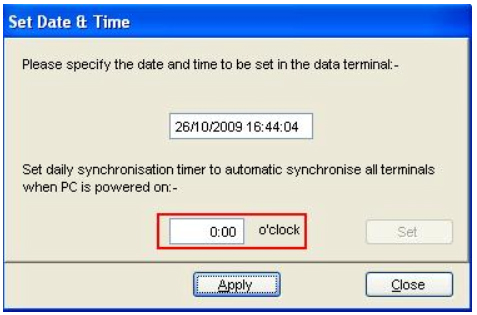 |
| Specify the time when you want the terminal time to be synchronized with the PC without turning on the TCMS v2 software. And click Apply button. |
|