| TCMS V2 |
| Time Control Management System - V2 |
| |
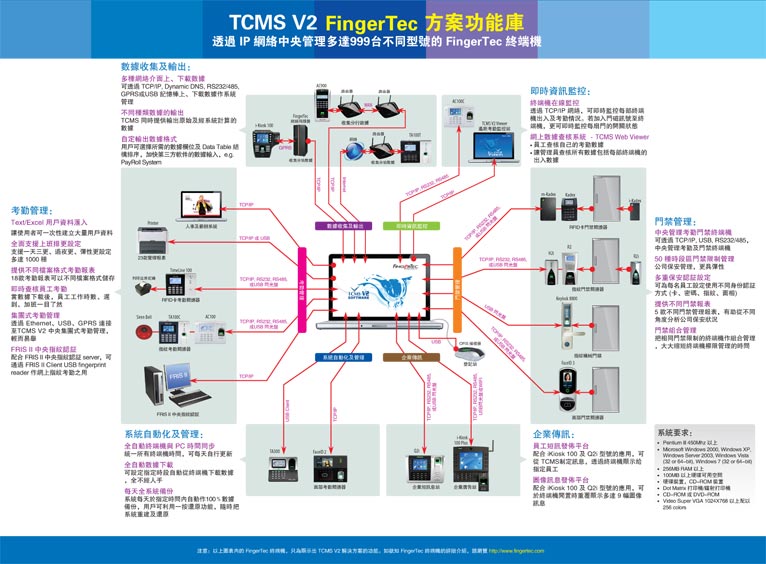
TCMS V2, the soul of FingerTec® fingerprint reader, is the powerful time control management system software designed to providing efficient and effective administration of human resources in every corporation. Thousands of enterprises around the globe are utilizing TCMS V2 in their daily operations to ease the burden of manual reporting, reducing human errors and producing comprehensive and assessable information. TCMS V2, seamlessly integrated with FingerTec® fingerprint reader is capable to generate various authentic and irrefutable time attendance and access control reports in minutes, ready to be printed whenever required. TCMS V2 is built on
| |
|
multilingual platform and complete with many functions, practical for today’s working environment. TCMS V2 operates on Windows-based system which offers easy installation and easy application, guaranteed suitable for everyone regardless of the technical knowledge. With TCMS V2, works become simpler and results become better. |
|
|
|
| |
| FEATURES & BENEFITS |
|
|
 |
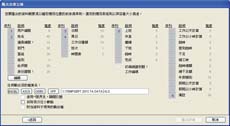
Manage time attendance & time clocking activities |
 |
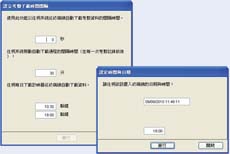
Provides 6 definable daily clocking activities |
 |
Supports overnight working time not exceeding 24 hours |
 |
Supports rotating duty rosters and a maximum of three shifts in a day |
 |
Provides easy management of multiple FingerTec® readers |
 |
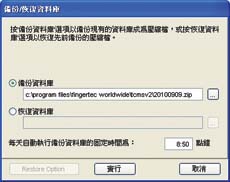
Enables download of data and transactions |
 |
Allows export of data and transactions |
 |
Provides irrefutable audit trails reports |
 |
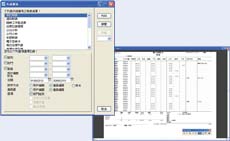
Produces various kind of time attendance reports |
|
| |
|
| |
| SYSTEM REQUIREMENTS |
|
|
 |
Pentium III 450MHz or higher PC compatible processor |
 |
128MB RAM and above |
 |
30MB free disk space for TCMS V2 software, recommended 100MB or higher for database |
 |
Microsoft Windows 98SE/ME/2000/XP |
 |
Latest updates and patches for Microsoft Windows are recommended |
|
| |
|
| |
| SAMPLE REPORTS |
|
|
Time & Attendance Reports |
 |
Correction Report |
| Indicating outstanding clocking activities for admin personnel to take corrective measures. |
|
|
 |
Tardiness Report |
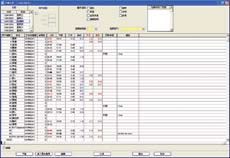
| Report showing daily activities of a staff detailing lateness and overtime taken. |
|
|
 |
Overtime Approval Worksheet |
| Worksheet of a user and approval given for that particular person for working overtime. |
|
|
 |
Attendance Summary |
| Summarized report of staff attendance. |
|
|
 |
Day by Day Analysis |
| Report of attendance summarized daily. |
|
|
 |
Month by Month Analysis |
| Report of attendance summarized monthly. |
|
|
 |
On Leave Report |
| Listing of leaves that have been taken by staff. |
|
|
 |
Electronic Time Cards |
| Report of detailed activities of a staff in a month. |
|
|
 |
Daily Attendance Listing |
| Listing of staff attendance based on the date required. |
|
|
 |
Duty Calendar |
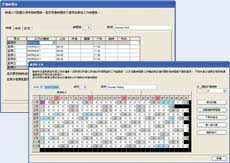
| Calendar of workday holiday, restday and offday based on a specified group. |
|
|
 |
Attendance Sheet |
| Comprehensive report detailing activities of all staff in a month. |
|
|
 |
Gross Wages Report |
| Gross calculation of worked hours of all staff based on their pay rate. |
|
|
|
Door Access Reports |
 |
Staff Movement Analysis |
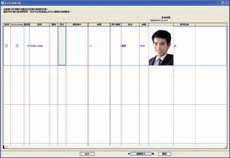
| Transaction record of individual staff by user ID. |
|
|
 |
Terminal Activity Report |
| Transaction record of staff by reader. |
|
|
 |
Terminal Transaction Listing |
| Record of all transactions data downloaded from every reader. |
|
|
|